Skip to content
Assist Engine

Inside Assist Engine

One request. A connected way to work.

Follow the context from the first question to the final outcome. These are real application captures with fictional demo data.

Try adaptive intake

01 / COLLECT

A front door built for your work.

Configure a branded portal with your request types, required fields, conditional sections, attachments, and requested dates. Email channels bring familiar conversations into the same workspace.

  • — Guided or single-page intake
  • — Access settings and verified domains
  • — Requester follow-up and calendar planning
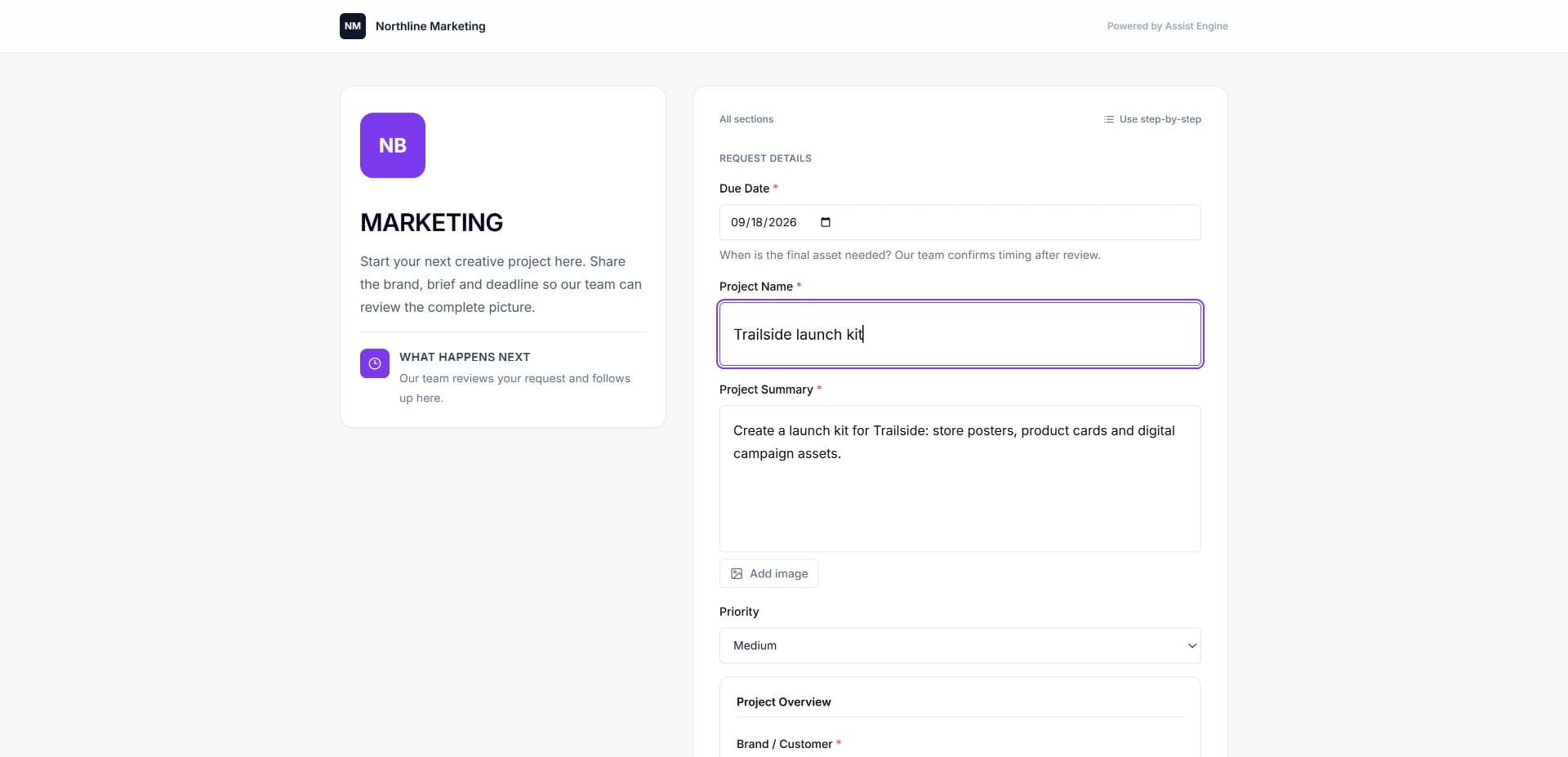
Creative request portal with structured fields and a requested date

02 / UNDERSTAND

Context before the first reply.

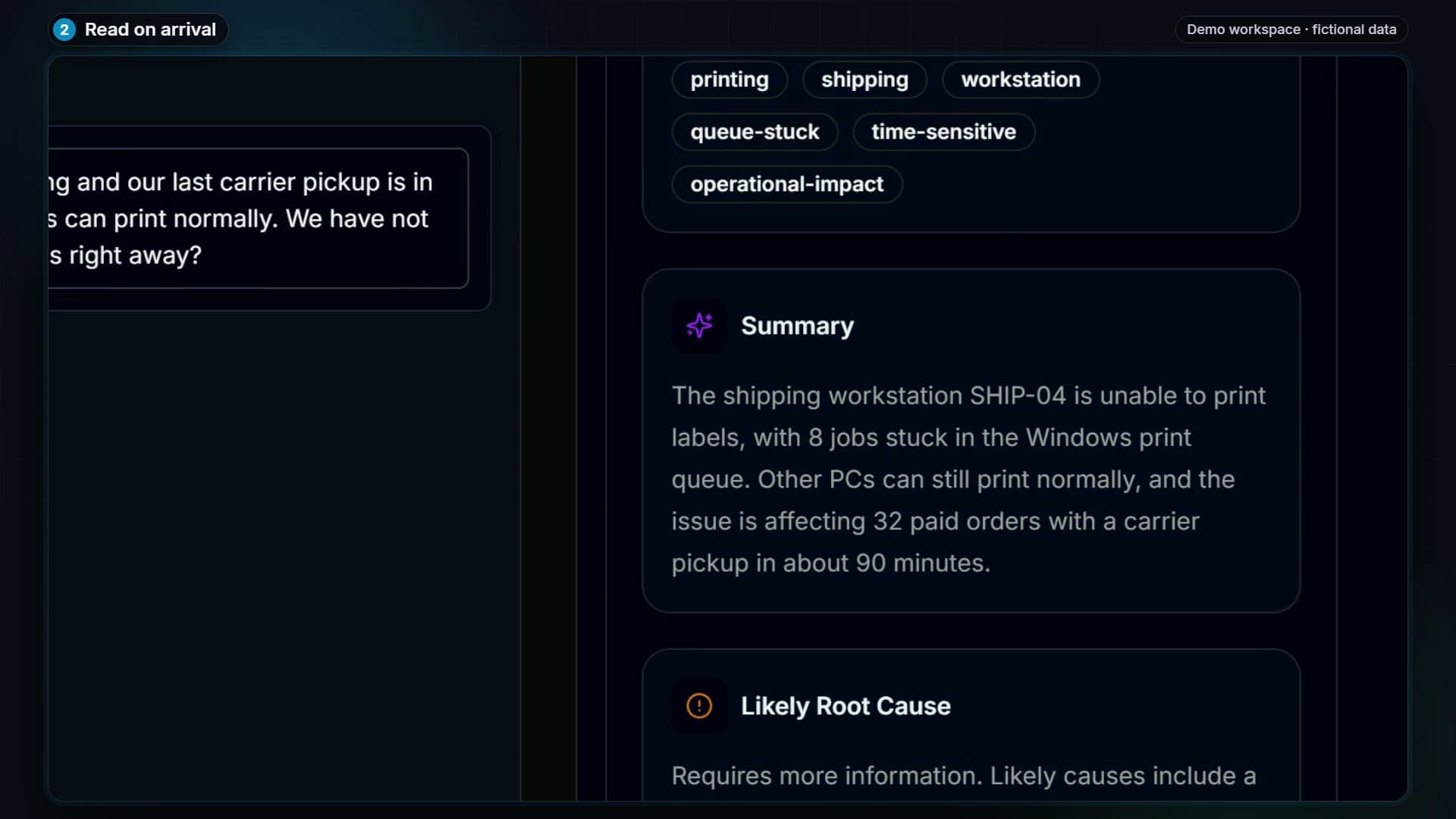
Arrival-time AI can summarize a request, suggest a category and priority, and prepare possible next steps. The work profile adapts its guidance to your team. Review the suggestions against the real situation.

  • — Business impact, not just the subject line
  • — Relevant knowledge and suggested replies
  • — Configured thresholds and review policy
AI workup summarizing a fictional label-printer issue and its business impact

03 / COORDINATE

Keep the next person in the loop.

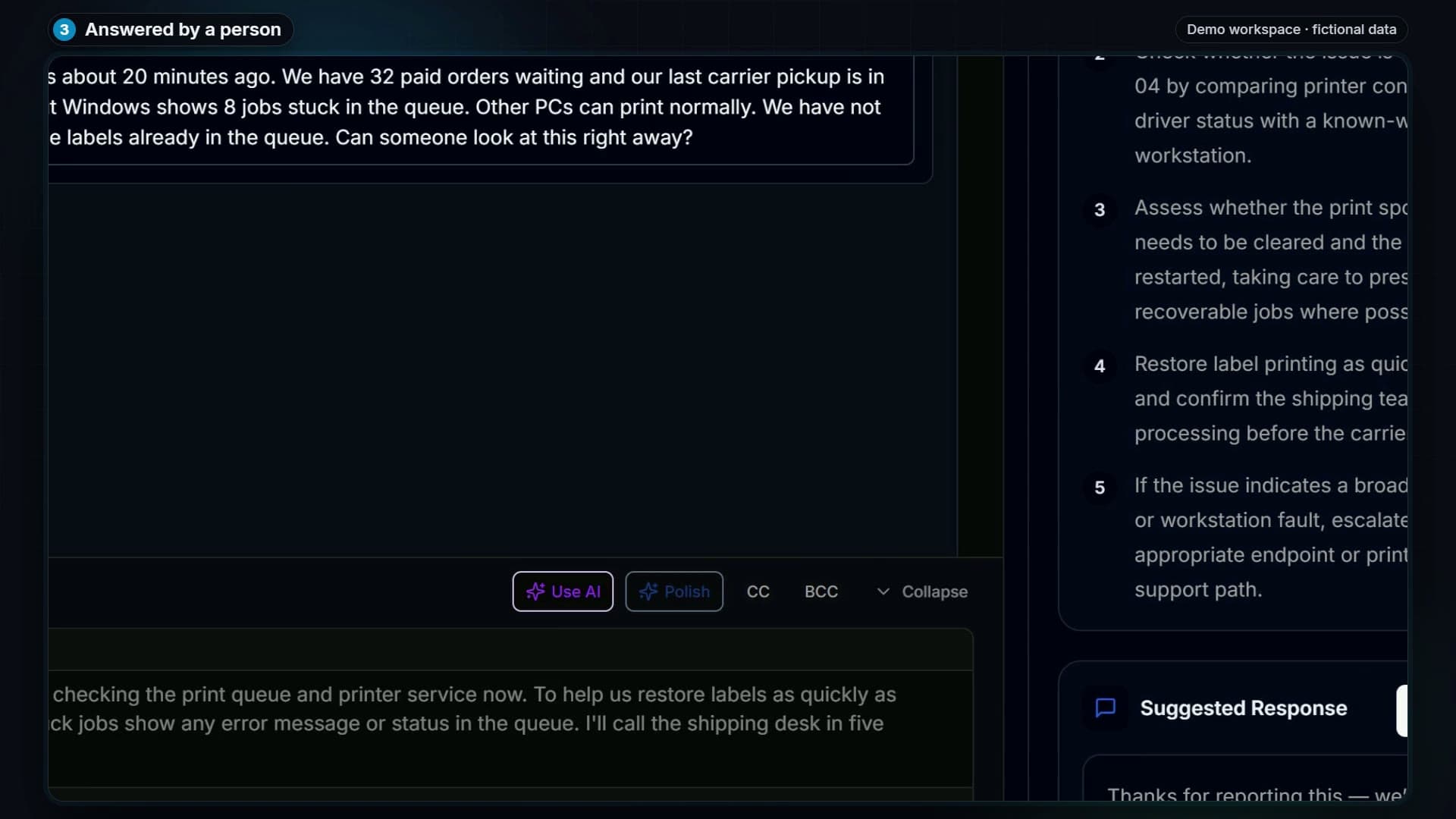
Use a shared queue, saved views, folders, assignments, and presence to coordinate the workload. Keep customer replies separate from private notes. Merge related tickets and review a conversation before forwarding it.

  • — Ownership, deadlines, and SLA tracking
  • — Ticket approvals with a recorded decision
  • — Draft recovery and explicit reply recipients
A real technician conversation in an isolated Assist Engine demo

04 / COPILOT

An assistant that works with your context.

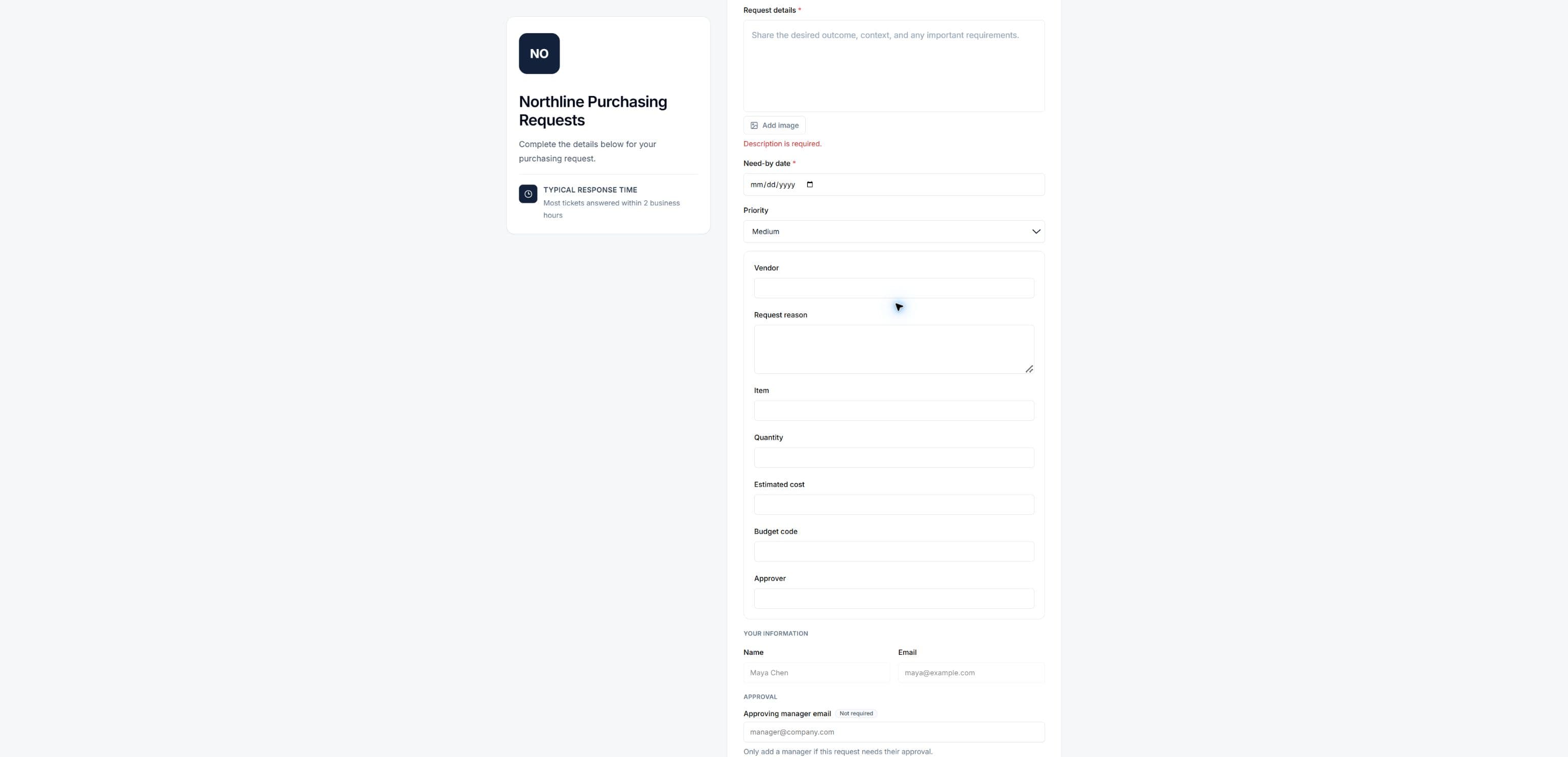
Ask questions using permitted requests and knowledge. Bring your own files. Review proposals to update a request, create a branded document, or build a portal from an existing form. Confirm before the action runs.

  • — Source references and scoped access
  • — Reviewed actions with permission checks
  • — Branded PDF and Word document generation

Copilot requires workspace activation and the appropriate permissions. Contact us to discuss access.

Purchasing portal generated from an uploaded form after a confirmed Copilot action

05 / COMPLETE & LEARN

The fix becomes team knowledge.

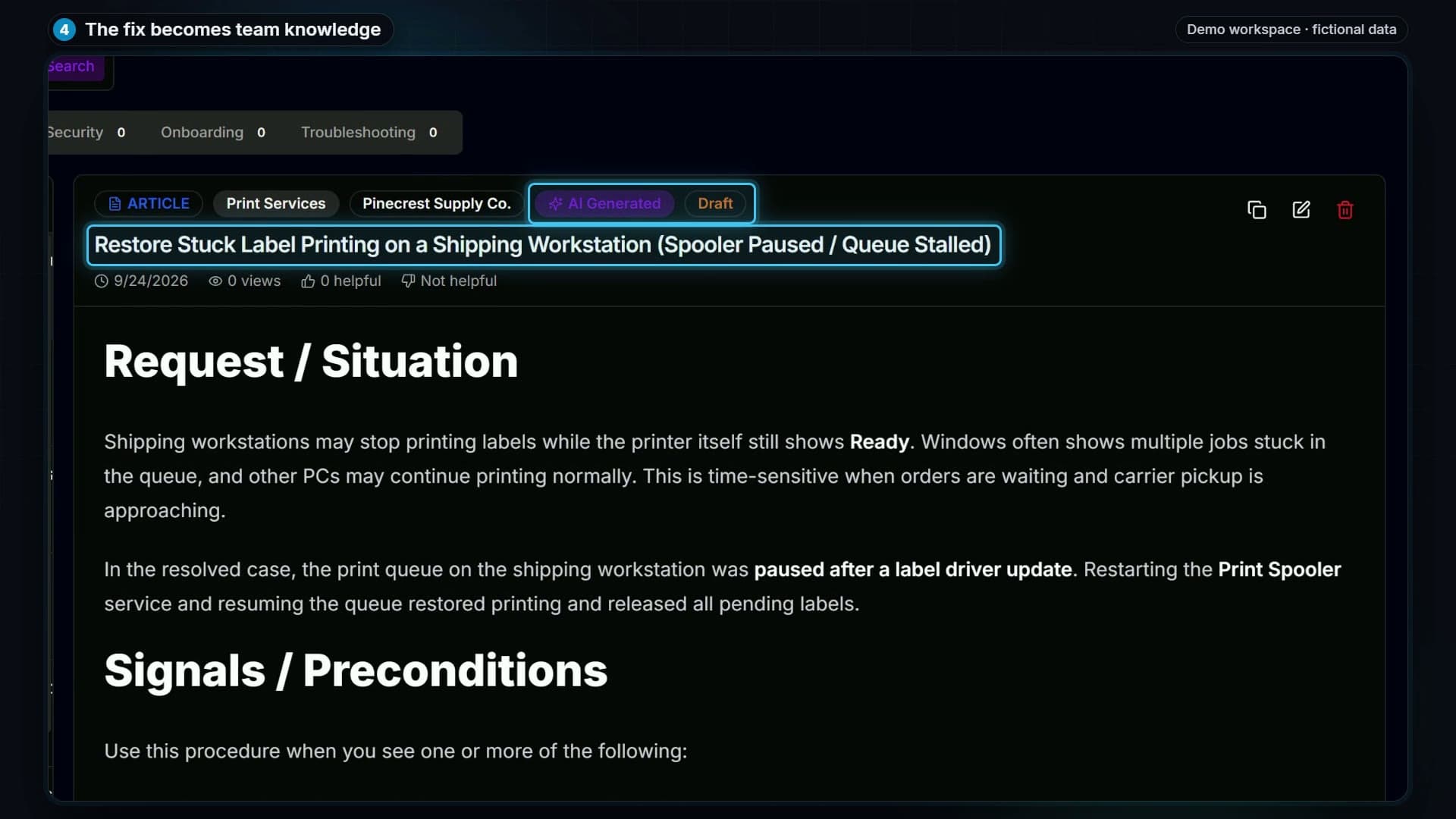
Write down what resolved the request and generate a knowledge-base article as a draft. Review the content before sharing it. Build a useful reference for the next person handling a similar issue.

  • — Resolution notes stay with the request
  • — Draft articles for review
  • — Client-specific and shared knowledge
An AI-generated knowledge article visibly saved as a draft

06 / IMPROVE THE OPERATION

Make recurring work more consistent.

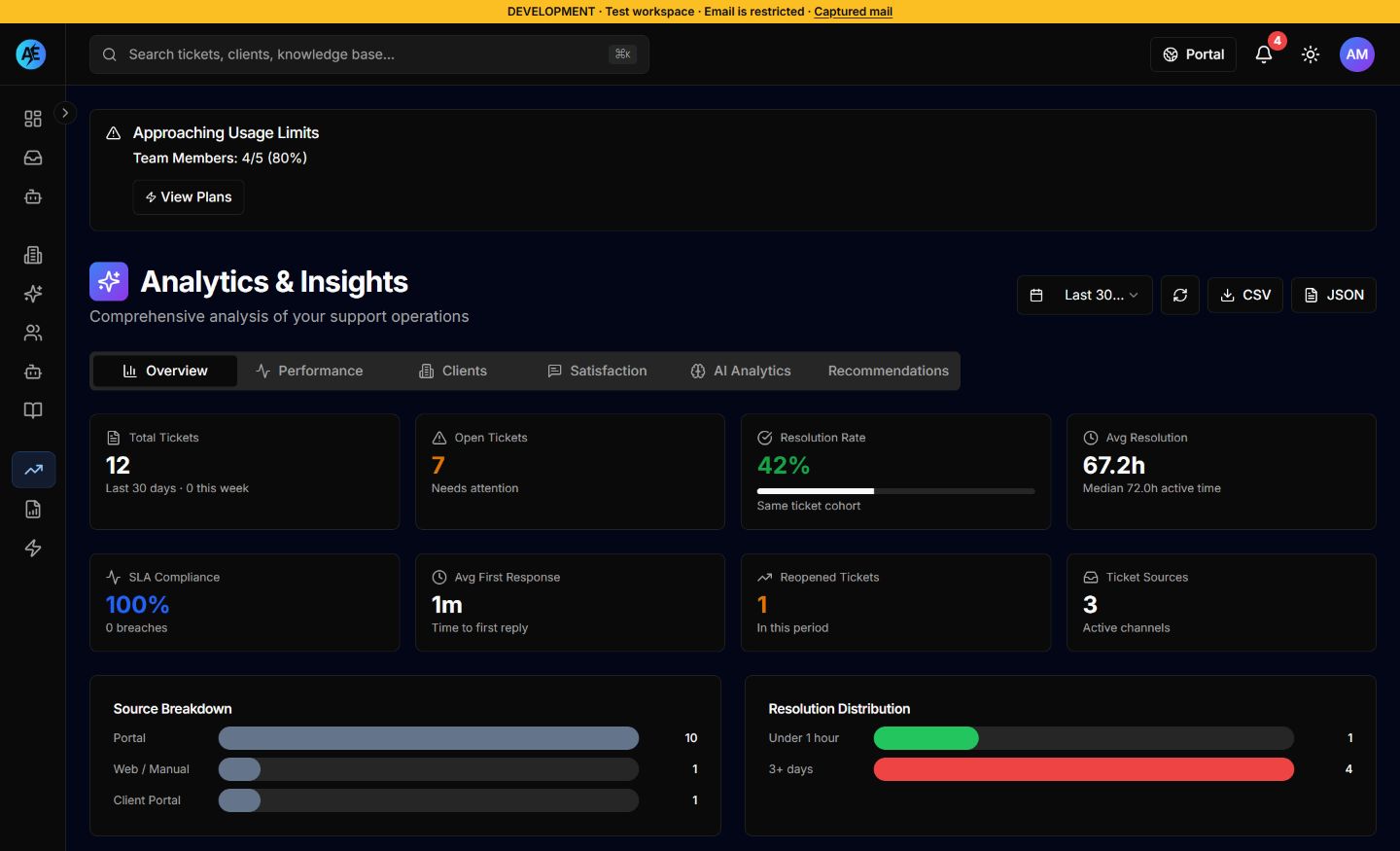
Configure rules for assignment, priority, status, and notifications. Review execution history. Use workload, response, resolution, and satisfaction reporting to decide what needs attention.

Understand the controls
Actual Assist Engine analytics showing request volume, response and resolution measures, and source breakdowns in a synthetic demo workspace
Real reporting screen · synthetic demo records. These figures illustrate the report, not customer results. Open full size

Automations with explicit rules

Choose triggers, conditions, and supported actions. Routing, assignment, and notifications are configurable. PSA sync and escalation-chain actions are not currently available.

Visibility into the work

Monitor the queue and SLA risk, review reports, and configure customer satisfaction surveys. Custom reporting and exports depend on your plan and permissions.

Optional intake channels

Voice can collect a request and retain call context when configured. Provider setup and call usage are separate. Ask us about the integrations available for your workspace.

Your workflow belongs here, too.

Start with a work profile. Make the details your own.

Start free

A better way to start

Make your next request
the start of better work.

Start free

30-day Pro trial. No credit card required.

Talk through your workflow